AI Anatomy · LEGO
Describe a model in words. An AI agent designs it from real LEGO parts and hands back a model file, a render and a parts list you can price and buy.
Open the studio
01Open LDraw Nova on the Mac mini ↗
The studio runs on the Mac mini, not on this website. The link only opens on your own devices that are signed in to Tailscale (your MacBook, iPad or phone). It has no password of its own, so it is kept off the public internet on purpose.
First time only: open Settings in the studio and sign in to Claude (or add an API key). Hardware cannot do this step for you.
Source: ldraw-nova install
How it works
02- You write a prompt. For example: “a three-storey apartment with a coffee shop on the ground floor and three people under an umbrella”.
- The agent plans. It reads the tool's building guide and writes a plan: parts, sub-assemblies, colours.
- It writes a small program that writes the model. The plan becomes a Python script that outputs an LDraw file. LDraw is the open text format LEGO design software reads. Agents are better at writing code that does the geometry than at doing the geometry themselves.
- It renders, looks, fixes. It renders pictures, checks for parts overlapping or floating, and repeats until it thinks the model is finished.
- You get the files. The model (.mpd), a render (.png), a parts list (.csv), a 3D view, and the whole chat.
Source: ldraw-nova README · LDraw.org
Make a model
03- 01
Say what it is, how big, and what matters
Subject, rough size (a desk model or a minifig scene), colours, the one feature it must have. The tool's own instructions ask the agent to keep a requested detailed scene detailed, so be specific.
- 02
Pick the strongest model
The author's examples were made with Claude Opus and GPT-6 Astra at the highest effort. The tool's notes say only expensive high-end models build large models correctly.
- 03
Let it run, and steer
Large models take a long time. One of the author's examples was stopped unfinished when it stopped improving. Say what to change in the chat, the same way you would with any agent.
- 04
Or ask Hardware
Send Hardware “build me … in LEGO”. It runs the studio, checks the result and adds it to this page under Made here.
Source: ldraw-nova agent instructions · ldraw-nova: known limits
From file to real bricks
04- 01
Open the model in BrickLink Studio
Studio (free, Mac and Windows) opens LDraw .mpd and .ldr files directly.
- 02
See what it costs
Model › Model Info lists every part with its average BrickLink price. Parts with no price usually don't exist in that colour: swap the colour before buying.
- 03
Export a wanted list and buy
File › Export As › BrickLink Wanted List (XML), then upload it to BrickLink and buy from one or more shops.
- 04
Make instructions
Studio's instruction maker turns the model into a step-by-step booklet, the same way the custom anniversary LEGO set was made.
Source: Studio help: import formats · Studio help: prices · Studio help: export
Watch out. The tool checks that parts don't overlap and fit together on screen. That is not proof the model stands up in real bricks. Build the tricky part first, or check it in Studio, before ordering a large set.
Source: ldraw-nova agent instructions
Models
05Nothing made here yet. The first model you or Hardware make in the studio will appear here.
Examples from the tool's author
-
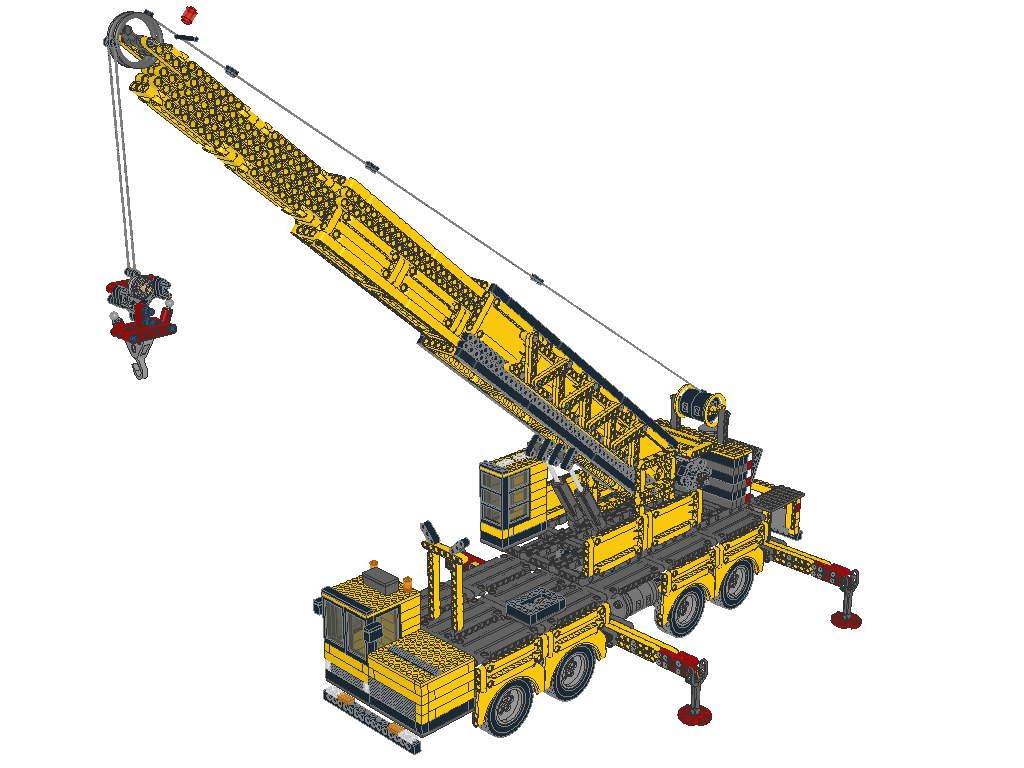
Atlas Crane
1,079 pieces · 161 different parts · 15 colours
Designed by Opus 5.5 Extra high
Asked for “read the instructions.md, and then build me a big machine, an impressive one, Technic style, also with engines and very realistic details.”
This model is _unfinished_, the process was taking too long, stopped it after no visible improvements for a while.
Most-used parts
- 220 × Technic Pin with Friction and Slots (Black)
- 35 × Brick 1 x 1 (Yellow)
- 33 × Technic Panel 3 x 11 (Yellow)
- 32 × Brick 1 x 2 with Grille (Black)
- 30 × Technic Beam 15 (Yellow)
Model file (.mpd) · Parts list (.csv)
Example by the LDraw Nova author: Carlos Antelo (anteloc), ldraw-nova. Repo: AGPL-3.0 for code; CC BY-SA 4.0 for its research and documentation material.
-
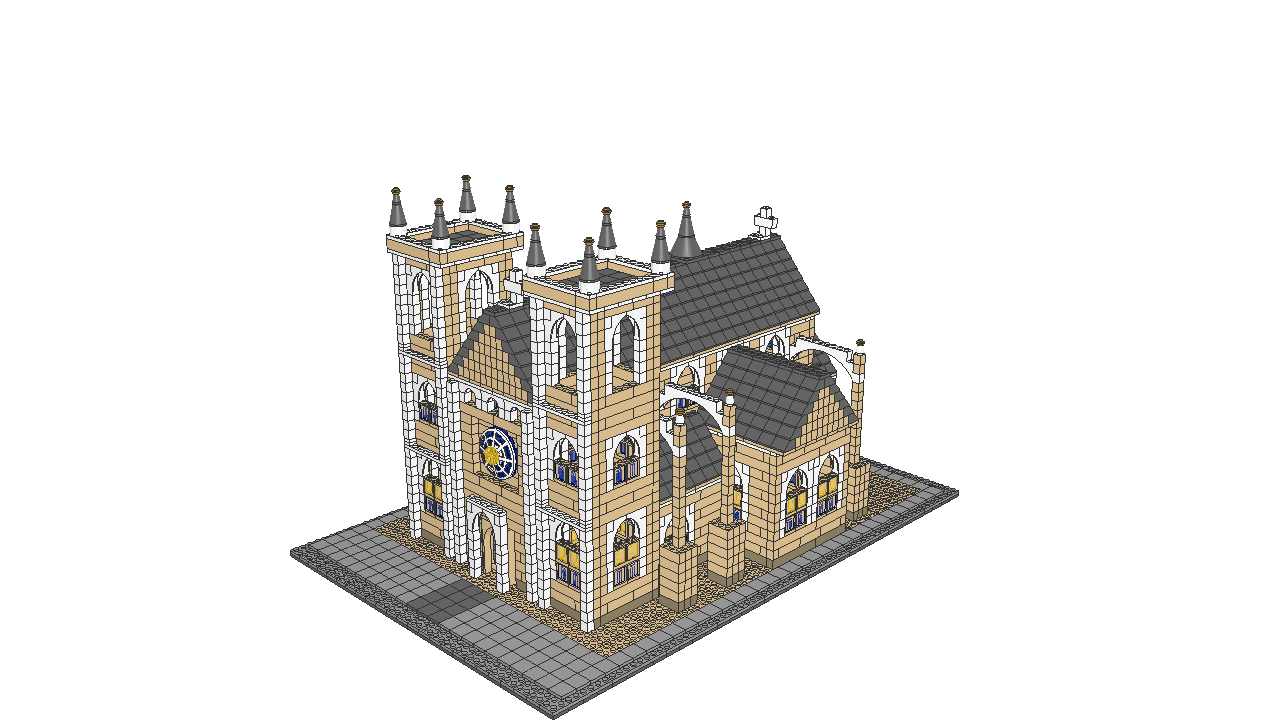
Cathedral
5,394 pieces · 58 different parts · 9 colours
Designed by GPT-6 Astra, xhigh
Asked for “ok, let's try and use a jev reranker for getting suitable parts for a model.”
Generated in Visual Studio Code, with `ldraw-nova` project open.
Most-used parts
- 890 × Brick 1 x 1 (Tan)
- 690 × Brick 1 x 1 (White)
- 664 × Slope Brick 45 2 x 2 (Dark Bluish Grey)
- 642 × Brick 1 x 4 (Tan)
- 313 × Brick 1 x 8 (Tan)
Model file (.mpd) · Parts list (.csv)
Example by the LDraw Nova author: Carlos Antelo (anteloc), ldraw-nova. Repo: AGPL-3.0 for code; CC BY-SA 4.0 for its research and documentation material.
-
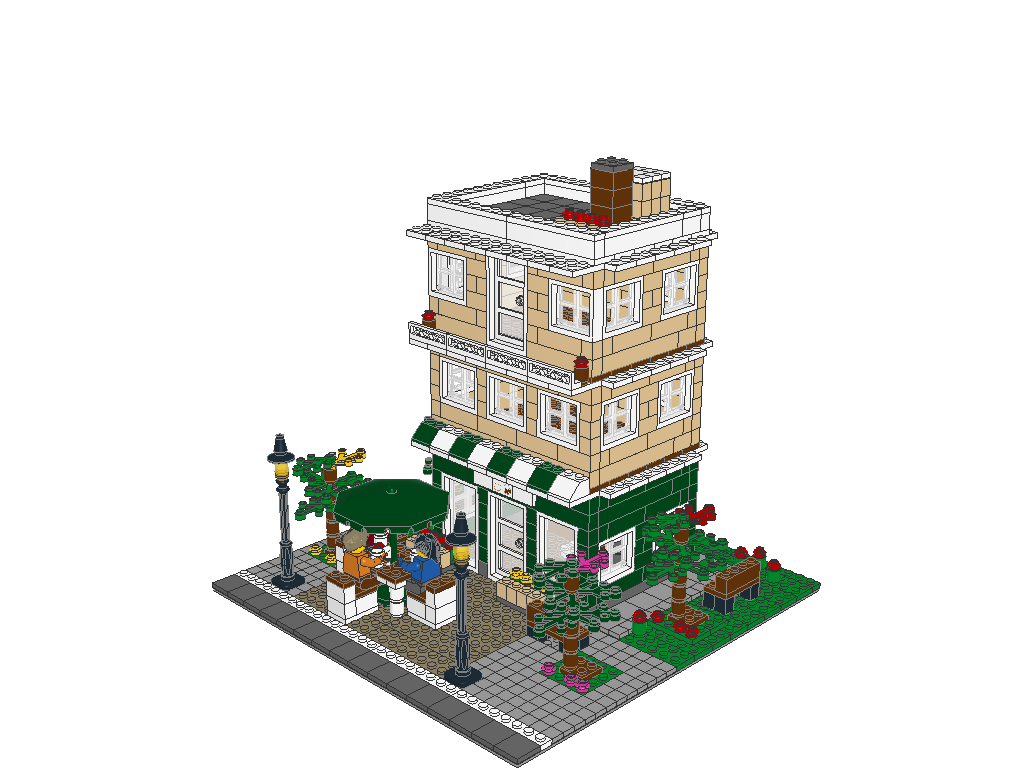
Copper Bean
1,022 pieces · 103 different parts · 18 colours
Designed by Opus 5 (not 5.5!) Extra high
Asked for “read instructions.md then, build me 3-storey appartments building, with a coffee shop at the base floor, with three people having coffee under an umbrella, outside the shop”
Generated in Visual Studio Code, with `ldraw-nova` project open.
Most-used parts
- 150 × Tile 1 x 1 with Groove (Light Bluish Grey)
- 90 × Brick 1 x 1 (Tan)
- 54 × Plate 2 x 2 (White)
- 52 × Brick 1 x 1 (Dark Green)
- 44 × Window 1 x 2 x 3 Pane with Thick Corner Tabs (Trans Clear)
Model file (.mpd) · Parts list (.csv)
Example by the LDraw Nova author: Carlos Antelo (anteloc), ldraw-nova. Repo: AGPL-3.0 for code; CC BY-SA 4.0 for its research and documentation material.
-
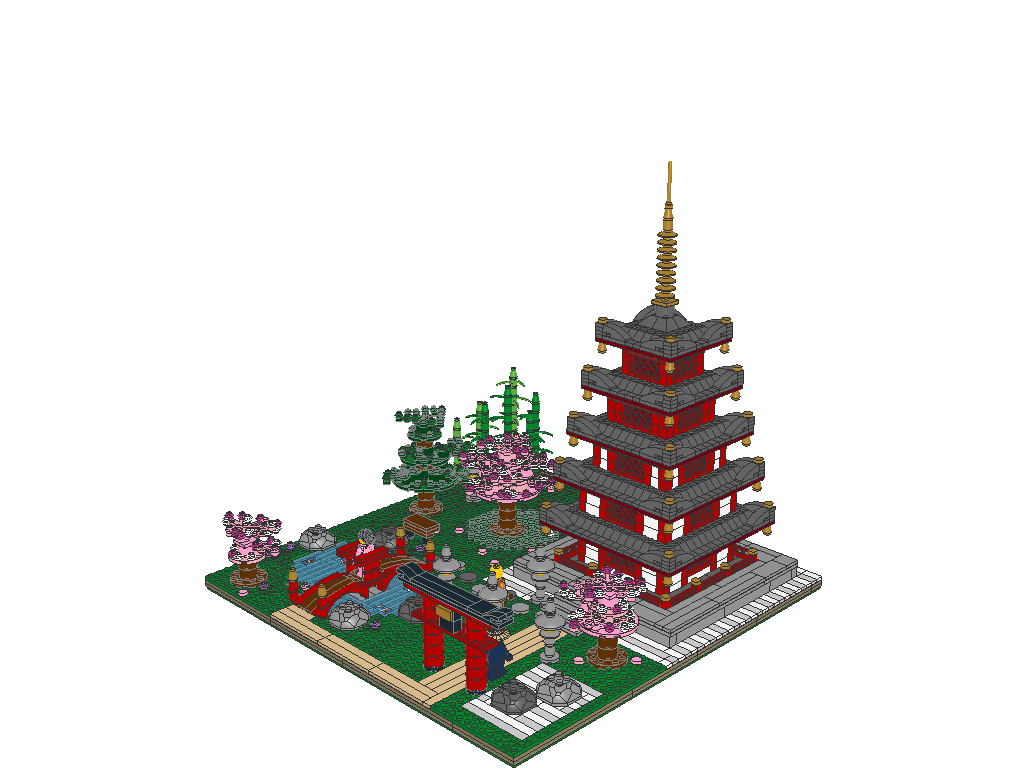
Sakura Garden
2,175 pieces · 244 different parts · 24 colours
Designed by Opus 5.5 Extra high
Asked for “read instructions.md and then, build me the most beautiful model that comes to your mind, you choose about any and every feature it should have!”
Most-used parts
- 176 × Brick 1 x 1 (Red)
- 160 × Slope Brick 45 2 x 1 (Dark Bluish Grey)
- 152 × Slope Brick 45 2 x 1 Inverted with Inner Stopper Ring (Red)
- 120 × Tile 1 x 1 with Groove (Dark Bluish Grey)
- 80 × Plate 1 x 1 (Dark Bluish Grey)
Model file (.mpd) · Parts list (.csv)
Example by the LDraw Nova author: Carlos Antelo (anteloc), ldraw-nova. Repo: AGPL-3.0 for code; CC BY-SA 4.0 for its research and documentation material.
-
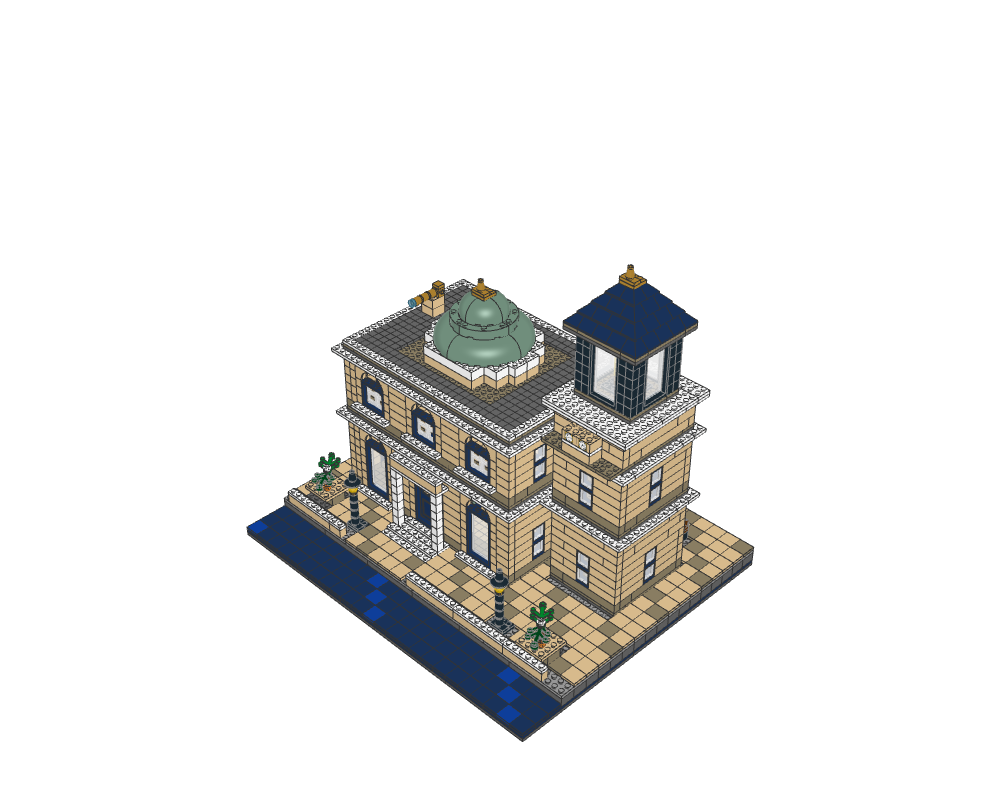
The Tidal Observatory
2,734 pieces · 118 different parts · 17 colours
Designed by GPT-6 Astra xhigh
Asked for “build me the best building model you can think of; you are totally free to choose about its features!”
Most-used parts
- 440 × Tile 1 x 1 with Groove (Tan)
- 292 × Tile 1 x 1 with Groove (Dark Tan)
- 240 × Tile 1 x 1 with Groove (Dark Bluish Grey)
- 142 × Tile 2 x 2 with Groove (Tan)
- 102 × Brick 2 x 8 (Dark Bluish Grey)
Model file (.mpd) · Parts list (.csv)
Example by the LDraw Nova author: Carlos Antelo (anteloc), ldraw-nova. Repo: AGPL-3.0 for code; CC BY-SA 4.0 for its research and documentation material.
-
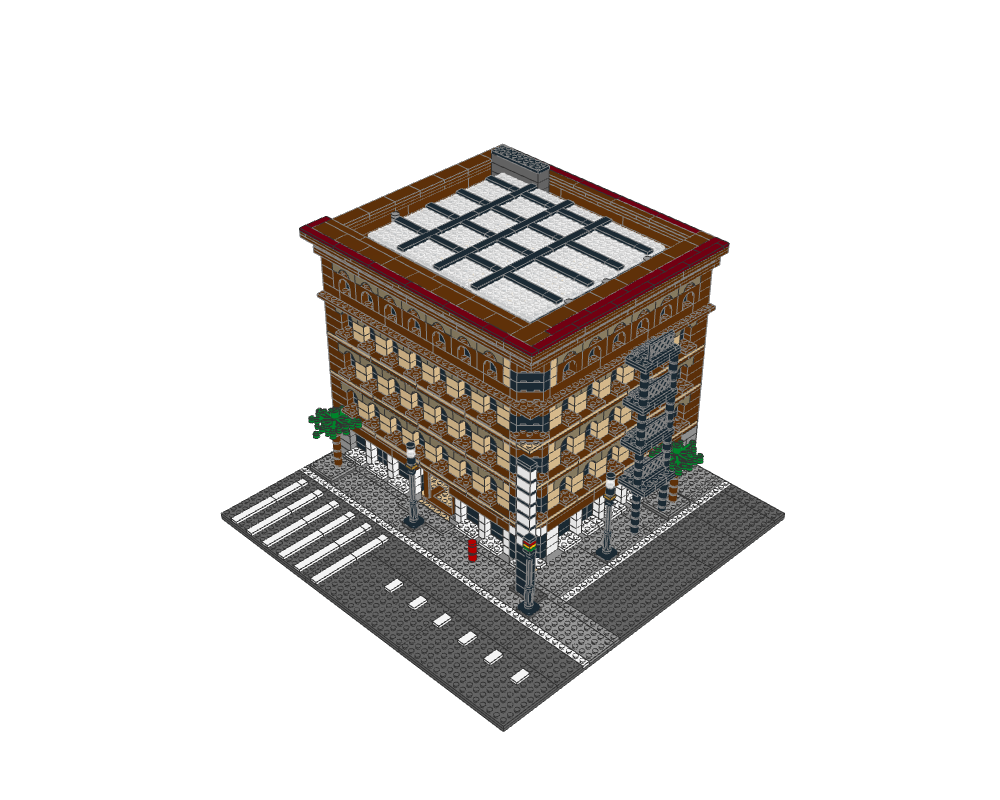
Bradbury Building Los Angeles V1
2,297 pieces · 157 different parts · 13 colours
Most-used parts
- 167 × Brick 1 x 2 (Reddish Brown)
- 128 × Brick 1 x 8 (Black)
- 118 × Brick 1 x 8 (Tan)
- 105 × Plate 2 x 8 (Reddish Brown)
- 89 × Brick 1 x 8 (Reddish Brown)
Model file (.mpd) · Parts list (.csv)
Example by the LDraw Nova author: Carlos Antelo (anteloc), ldraw-nova. Repo: AGPL-3.0 for code; CC BY-SA 4.0 for its research and documentation material.
-
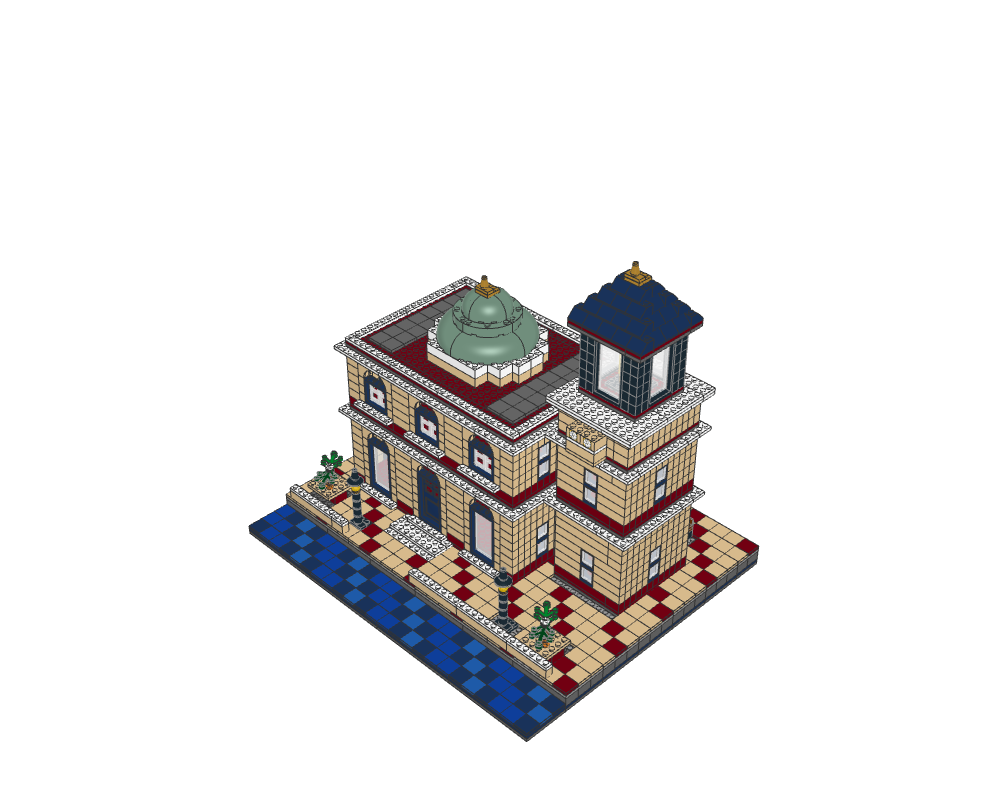
The Tidal Observatory Architectural Draft V1
2,205 pieces · 108 different parts · 18 colours
Most-used parts
- 696 × Brick 1 x 1 (Tan)
- 159 × Tile 2 x 2 with Groove (Tan)
- 121 × Brick 1 x 1 (Dark Red)
- 102 × Brick 2 x 8 (Dark Bluish Grey)
- 72 × Brick 1 x 1 (Black)
Model file (.mpd) · Parts list (.csv)
Example by the LDraw Nova author: Carlos Antelo (anteloc), ldraw-nova. Repo: AGPL-3.0 for code; CC BY-SA 4.0 for its research and documentation material.
Limits and costs
06- Cost. The tool is free and open source (AGPL-3.0). The AI that designs the models is paid: it uses your Claude subscription or API key, and large models are slow and expensive.
- Quality. The author lists minifigs, Technic machines and spaceships as weak areas still being worked on.
- Part search. It finds parts best with a TypeSafe Jev key, which this Mac mini has. Without it, it falls back to plain keyword search.
- On the Mac mini. It runs in Docker (Colima), about a 5 GB image, and restarts with the Mac.
Source: ldraw-nova: known limits · ldraw-nova install